Ten clients, one dropdown
Switch between clients in the header. Each one has its own questions, its own dashboard, its own history. Add or remove a client whenever a contract starts or ends — nothing is deleted.
For agencies and consultants
Ten clients, one login, your whole team. The questions their buyers actually type, put to ChatGPT, Gemini, Google AI Mode, AI Overviews and Perplexity every morning, every answer kept — with reports and alerts that carry your name, not ours. About $20 a client.
Card needed. Your bank takes a refundable $0.50 card check today and nothing else for 7 days; cancel in one click. The trial runs 3 clients and 50 questions; the full 10 clients and 200 questions open the day the plan starts.
Fewer than four clients? Pro is $79 a month and tracks three — see all plans.
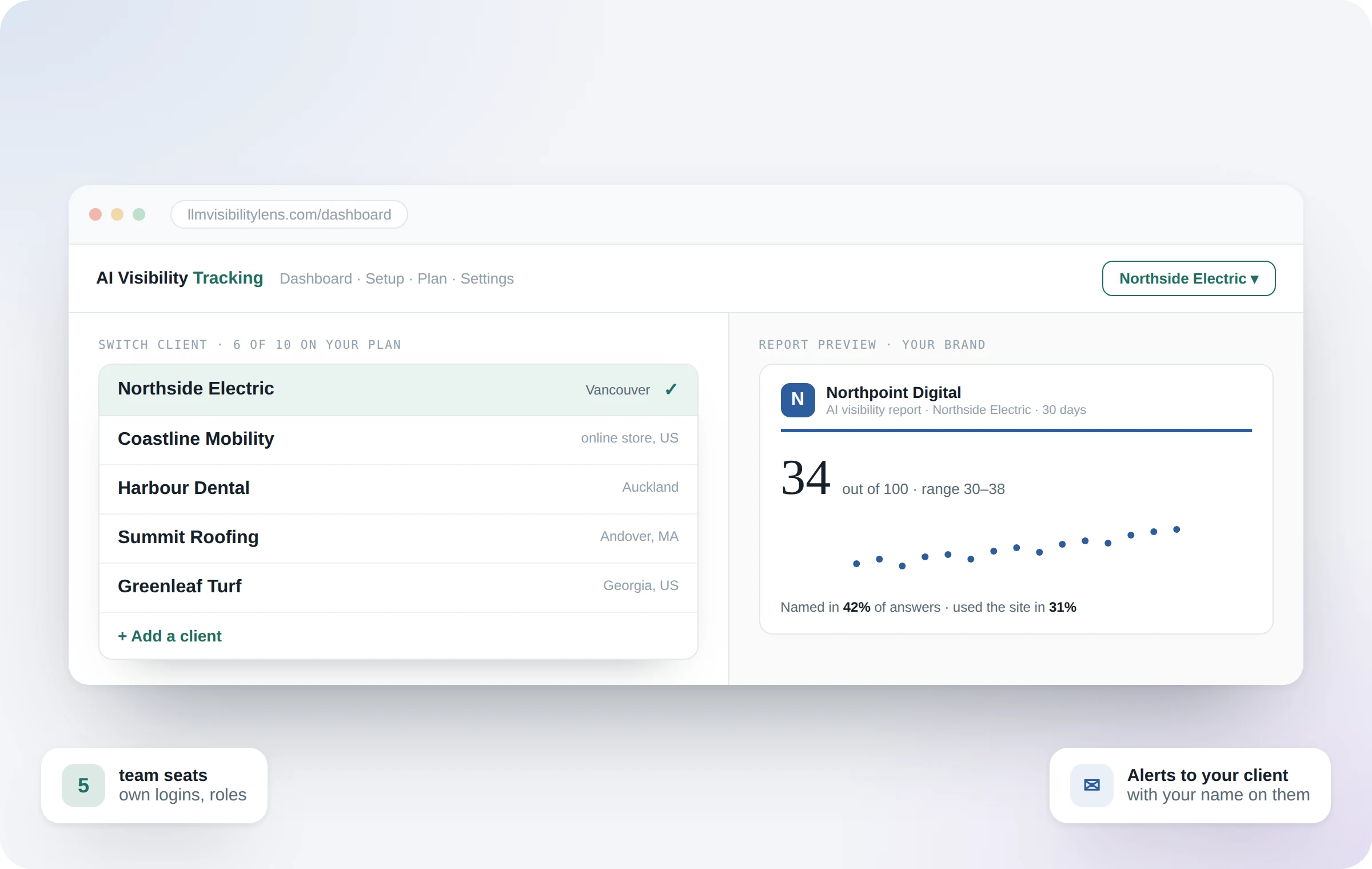
Switch between clients in the header. Each one has its own questions, its own dashboard, its own history. Add or remove a client whenever a contract starts or ends — nothing is deleted.
PDF reports carry your logo, your colour and your agency name, with no mention of us anywhere. Send them as your own work, monthly or for any period you choose.
Give a client their own dashboard link — no login, updated with every check, nothing about your account visible. Turn it off any time.
Up to eight ranked actions per client, chosen by the measurement: the page AI reads without crediting them, the directory AI trusts for a competitor, the topic nobody has claimed. Re-measured next month, so the plan proves its own worth.
Invite your account managers with their own login and the right role — Admin, Member or Viewer. Remove someone and they're signed out at once. No shared passwords, ever.
When a client becomes #1, a fix works, or a competitor moves in, one clear morning email — with your name and colour — to you, your team, and the client if you add them.
Google searches a month for every tracked question, with the 12-month trend. Show the client why you are fixing the 880-a-month question before the 30-a-month one.
Click any day and any question to read exactly what each AI said, who it named and which pages it read. When a client asks "how do you know?", you show them.
Every score carries a range, because AI answers the same question differently each time. A failed call is never scored as a zero, and "Google showed no AI Overview" is recorded as Google's choice. Nothing here is estimated.
Run it as a team.
Every account manager gets their own login and a role. You see who was last active; they see only what their role allows. Removing someone takes one click and signs them out at once.
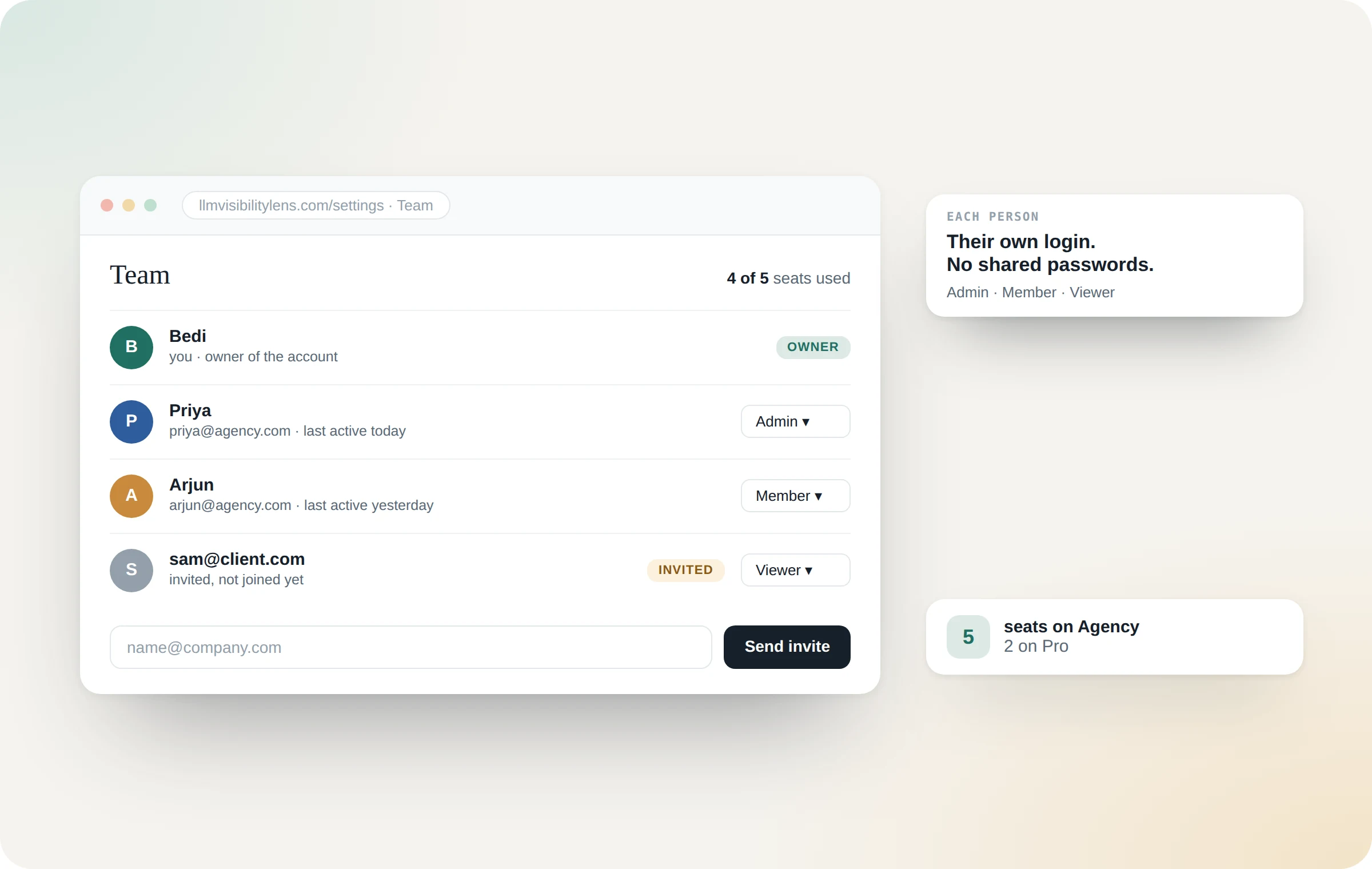
5 seats on Agency, 2 on Pro. Admins can do everything except billing; Members work on every client; Viewers look and change nothing.
The morning it happens, they hear it from you.
One email a day at most, only when something really moved — a client becoming #1, a fix that worked, a new competitor, a page AI stopped reading. Add the client's email and it arrives in your brand.
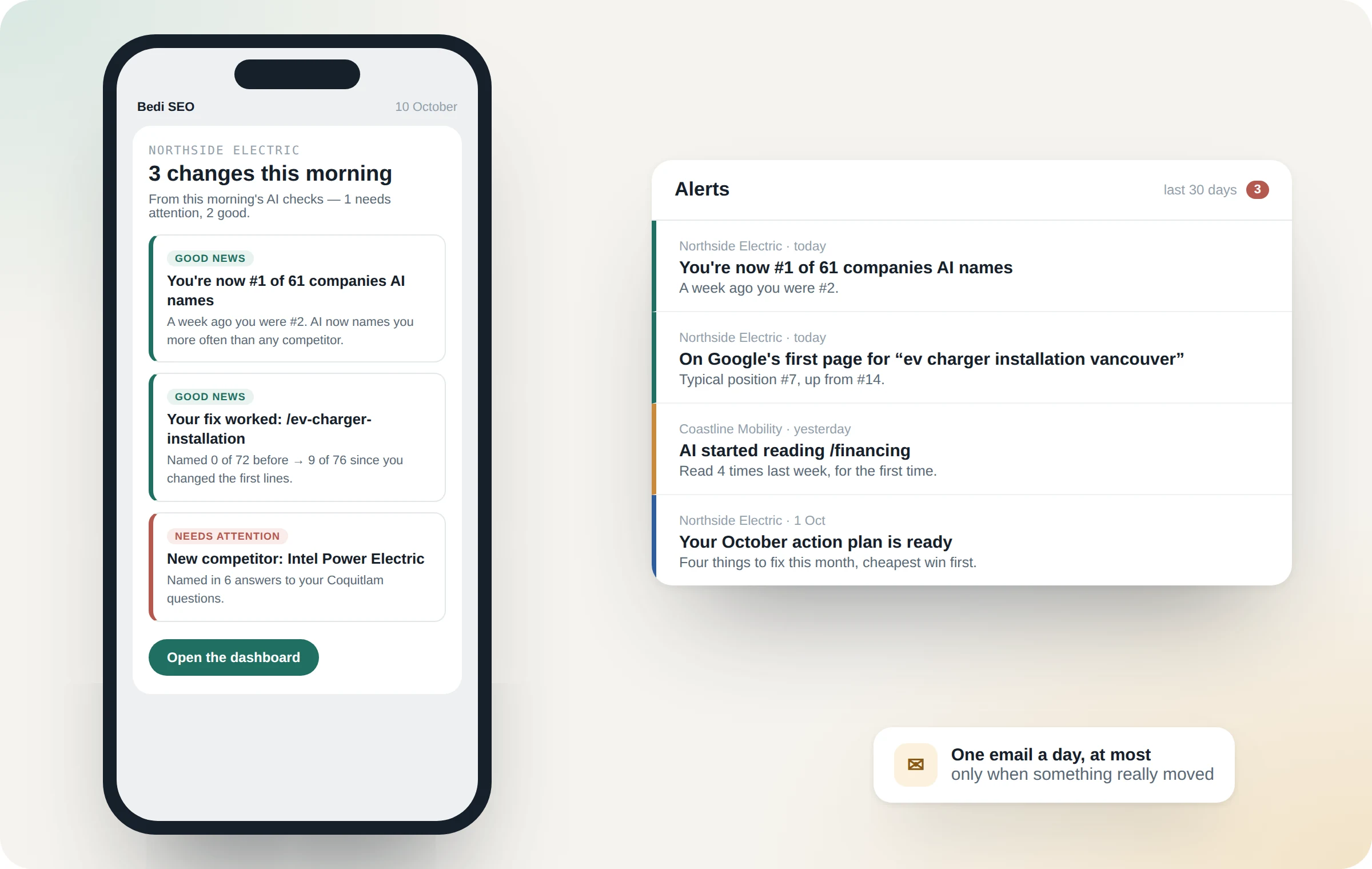
Fifteen kinds of change, each one switchable. Nothing is sent on quiet days, so when an alert arrives, it's worth reading.
Send it with your name on it.
Your logo, your colour, your agency name — and nothing of ours anywhere on the page. The same numbers your client can check for themselves.
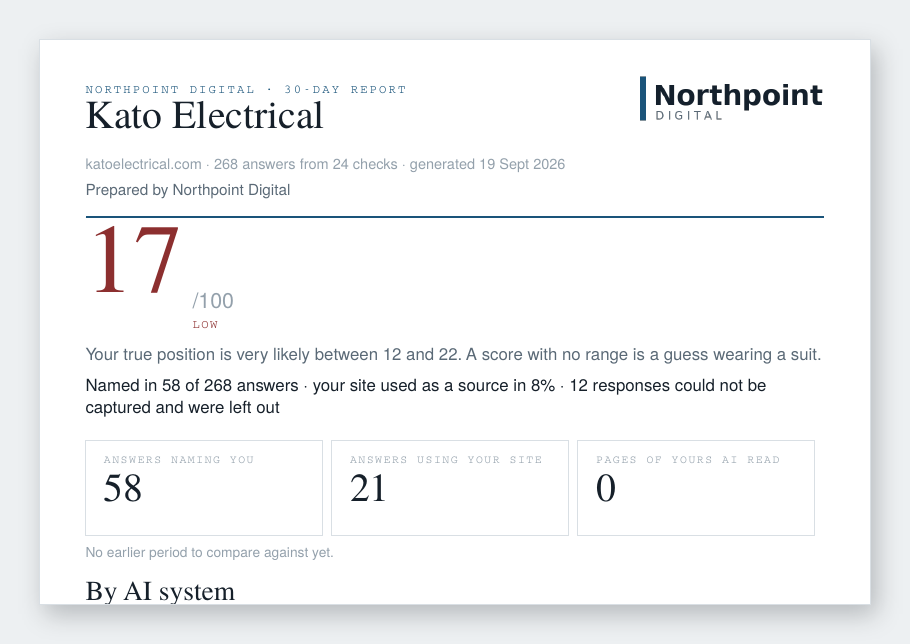
A real report, branded for a fictional agency. Score with its range, what it means in one line, the three counts, and the daily checks plotted as dots — because a smooth line would be a lie.
The deliverable writes itself.
Every month, up to eight ranked actions per client, chosen by the measurement and re-measured the month after. That is the slide your retainer review has been missing.
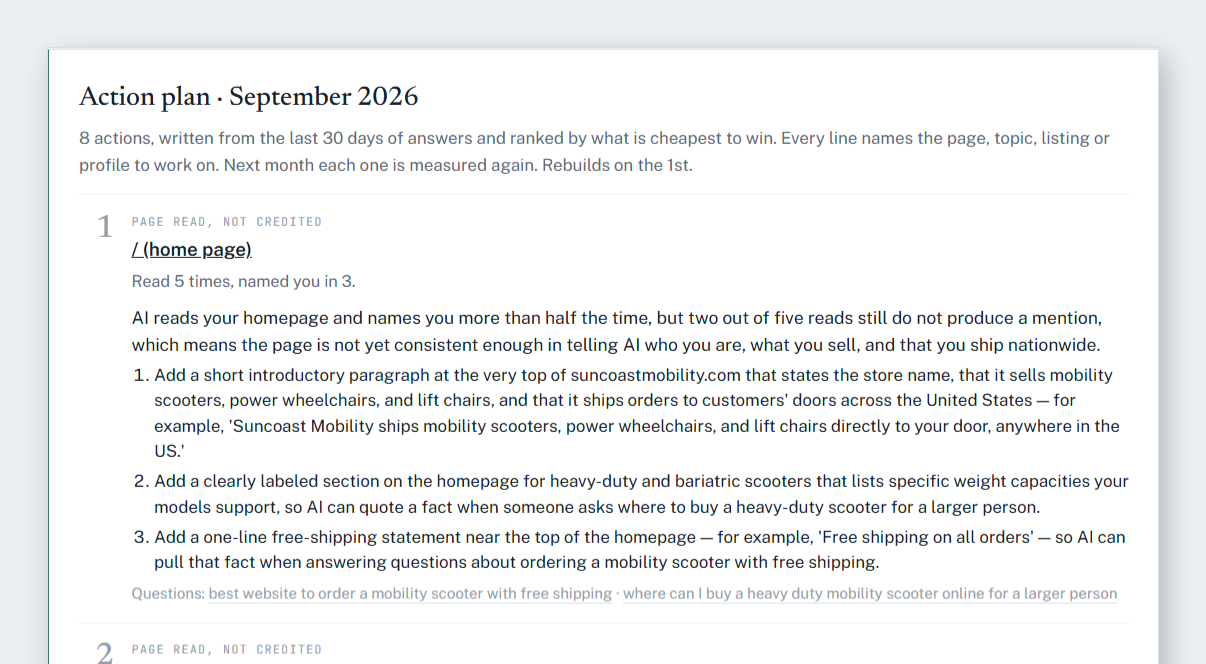
Cheapest win first. A topic nobody has claimed, a page AI reads without crediting the client, the exact competitor pages AI trusts — each with the steps, and next month the score beside it.
When they ask how do you know?
Click any day, any question, and read exactly what each AI said, who it named, and which pages it read. No score without the evidence behind it.
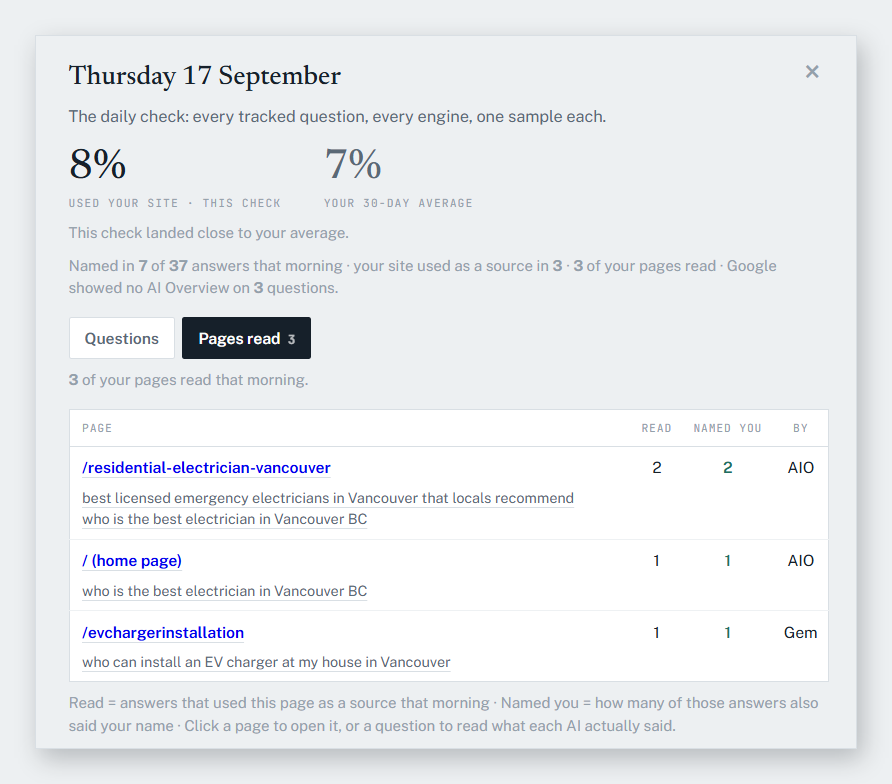
One morning, in full. Which of the client's pages AI read, how many answers used each, how many of those named them — and the questions that led there.
$199 a month for ten clients is about $20 each. Agencies charge $100–300 a month for AI visibility reporting, and the action plan is the work you bill on top.
| Agency plan, ten clients | $199 / mo |
| Cost per client | $19.90 / mo |
| If you bill each client $150 a month | $1,500 / mo |
| Margin on ten clients | $1,301 / mo |
Annual billing is ten months for twelve — two months free. Prices in US dollars, taken by Razorpay.
No. On the Agency plan the PDF reports and the shared dashboards carry your name and logo only.
Write to [email protected] and we will price it with you. Ten is the plan's limit, not the software's.
ChatGPT, Gemini, Google AI Mode, Google AI Overviews and Perplexity, every morning, one sample each per question. You can also check a question on the spot, 300 times a month.
Yes. By default every report carries your agency's brand. For any client you can switch to co-branded (“Prepared by” stays yours, with the client’s logo) or a custom name, logo and colour — on that business’s Setup page. It applies to its PDF reports, shared link and alert emails.
Yes. Agency includes five seats (you count as one). Invite people from Settings → Team as Admin, Member or Viewer. Seats follow your plan, and removing someone signs them out straight away.
Yes. Add the client's email under Settings → Alerts. They get at most one email a day, only when something moved more than usual, carrying your agency's name and colour.
Yes, when the client connects their Google Analytics (read-only, one click): sessions from ChatGPT, Perplexity, Claude, Copilot and Gemini, by landing page and by week, beside the visibility score. Clicks from Google AI Overviews cannot be counted by anyone — we say so rather than guess.
Removing a business deletes it and its answers, on purpose, and asks you to type the name first. Downgrading instead pauses questions beyond the plan — nothing is lost, and they resume on upgrade.
That is what the trial is for: three clients, 50 questions, daily checks, action plan and white-label, for seven days. A card is saved — your bank takes a refundable $0.50 card check today, and the $199 is not charged until day seven. Cancelling is one click and everything you set up stays on the Free plan.
Seven days. A refundable $0.50 card check today, $199 on day seven, cancel in one click before then.
Fewer than four clients? Pro is $79 a month and tracks three — see all plans.
Or see everything a client sees, with no account: the live demo is a real customer's dashboard, updated this morning.